Built for the AR hardware your field teams already use
ContinuumAR runs on Android-based AR smart glasses and head-up display systems designed for industrial field environments. The platform is built around purpose-built AR hardware because that is what a technician working on live equipment actually needs — hands free, camera forward, operated by voice.
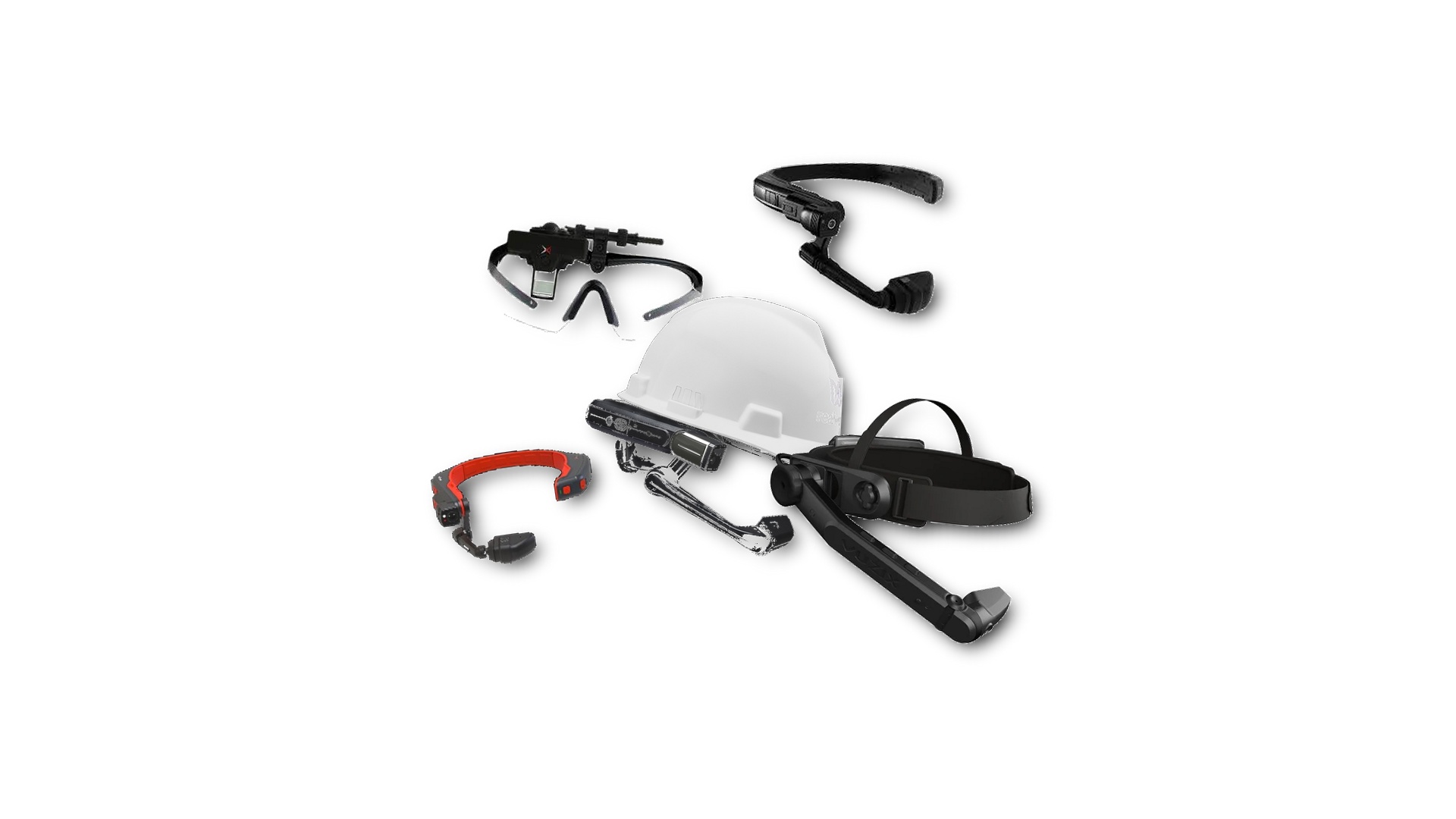
ContinuumAR is compatible with Android-based AR smart glasses and HUD systems.
Designed for purpose-built AR hardware
ContinuumAR is built specifically for Android-based AR devices — the kind worn on a hardhat, operated entirely by voice, with a camera pointing at whatever the technician is looking at. This is the form factor that makes remote assistance genuinely usable in industrial settings.
The platform does not run on smartphones, tablets, iOS devices, or desktop operating systems. The field technician side requires purpose-built AR hardware. Remote experts connect from their own browser or workstation on any device.
If you are unsure whether a specific device in your environment is compatible, contact the team and they can confirm directly.
Hands-free is a requirement, not a preference
A technician working on live equipment cannot hold a phone. Purpose-built AR devices are worn on the head and operated by voice — the technician's hands stay on the equipment throughout.
Deployed as an Android APK
The ContinuumAR application installs as a standard Android APK. For organisations using RealWear Cloud to manage a device fleet, the APK deploys through that existing workflow.
Other Android AR hardware
The platform is built to run on Android-based AR devices broadly. If your team uses a device not listed below, contact the team to discuss whether it is compatible with your specific hardware.
Devices verified across live field deployments
These four devices have been put through full testing across all platform features and have been used in real operational deployments. They are the devices ContinuumAR is actively developed and validated against.
If your organisation already operates any of these in the field, ContinuumAR can be deployed against existing hardware without new procurement.
A rugged head-mounted Android device built for industrial environments. Hands-free operation through voice commands throughout. One of the most widely deployed AR devices in manufacturing and energy operations.
The updated successor to the Navigator 500, with a refined form factor and improved display. Carries the same voice-driven, hands-free construction and is built for the same demanding field environments.
The original RealWear head-mounted tablet and one of the most prevalent AR devices across industrial field operations. A significant number of organisations in manufacturing, energy, and utilities already operate the HMT-1, making ContinuumAR deployable without additional hardware spend.
A compact monocular head-up display built for field technicians and service professionals. Smaller profile than full-frame AR glasses, suited for confined spaces or situations where a lighter device is preferable across a long shift.
What the technician actually does on the device
The ContinuumAR application runs directly on the AR device. Technicians log in with a QR code sent by email — no typing on a voice-operated device. From there, everything is navigable by voice.
A technician can start a call to a remote expert, step through an assigned checklist, or check their open tickets without touching the device. The expert sees exactly what the technician sees and can draw annotations onto that live view in real time.
QR code login
Technicians scan a QR code to log in rather than typing credentials on a device intended for voice operation. Admins can regenerate and resend QR codes from the platform at any time.
Full voice command operation
The entire ContinuumAR interface on device is navigable by voice. Technicians initiate calls, progress through checklists, and manage their tickets without taking their hands off the equipment.
Calling from assigned tickets
Technicians call experts directly from an open ticket on the device. The session, annotations, and call recording are tied to that work record automatically.
Checklists presented one step at a time
Assigned checklists display question by question on the device. The technician works through each step by voice, and responses are recorded against the ticket as they go.
See ContinuumAR running on your hardware
Book a demo and the team will walk through the platform on the specific AR device your field teams use or are evaluating.